
Adding Your First Server
Two tools: rdc on your laptop, renet on the server. That is the whole Rediacc architecture. So here is how they connect before you add a server.
Why two tools?
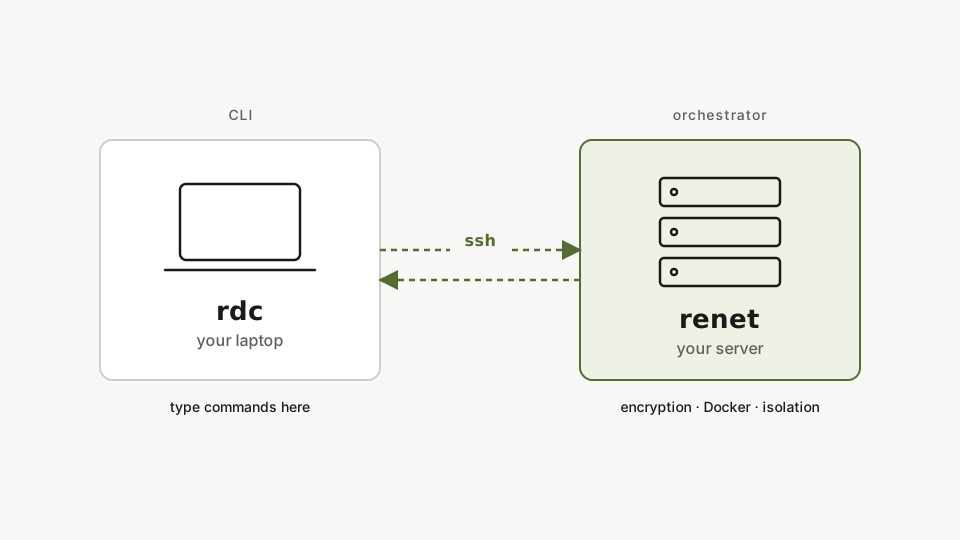
rdcis the CLI on your laptop. You type commands here.renetis the orchestrator on the server. It manages encryption, Docker, and isolation.
When you run a command locally, rdc connects over SSH and executes renet on the server. You never SSH into your servers manually. rdc does it for you.
Step 1: Register the server
rdc machine add <machine-name> --ip <server-ip> --user <user>Register the server with a name, IP address, and SSH user. The name is just a local alias (we use machine-11 to match the IP, but any label works, like prod-db or web-1). No init step is needed; the config file is created automatically on first use, and rdc falls back to your standard ~/.ssh key.
No rdc config init is needed. The config file is created automatically on first use, and rdc falls back to your standard ~/.ssh key. Key selection is intentionally minimal — if you need agent forwarding or a jump host, wire those up in ~/.ssh/config as usual; rdc will pick them up.
Step 2: Provision it
rdc machine setup <machine-name>Provision the server. This installs renet and creates the encrypted datastore.
The server is ready to host repositories.
Where the config lives
The CLI stores everything in ~/.config/rediacc/rediacc.json, a single plain-JSON file:
rdc config showInspect the JSON file that holds it all: machines, SSH key, and infrastructure. You can keep several configs, one per environment, and switch with the --config flag. See the multiple configs guide linked below.
This one file holds your machines, SSH key, and encryption credentials. Copy it to another laptop and you’re ready to drive the same servers from there.
Multiple configs
You can keep several configs, one per environment (production, staging, dev), and switch between them with the --config flag on any command. See setting up multiple configs.