
Networking & Domains
Your app is running, but nobody can reach it yet. This tutorial gets you a real domain, automatic TLS via Let’s Encrypt, and a Traefik proxy that auto-discovers your containers. You need a domain on Cloudflare and an API token.
Four steps
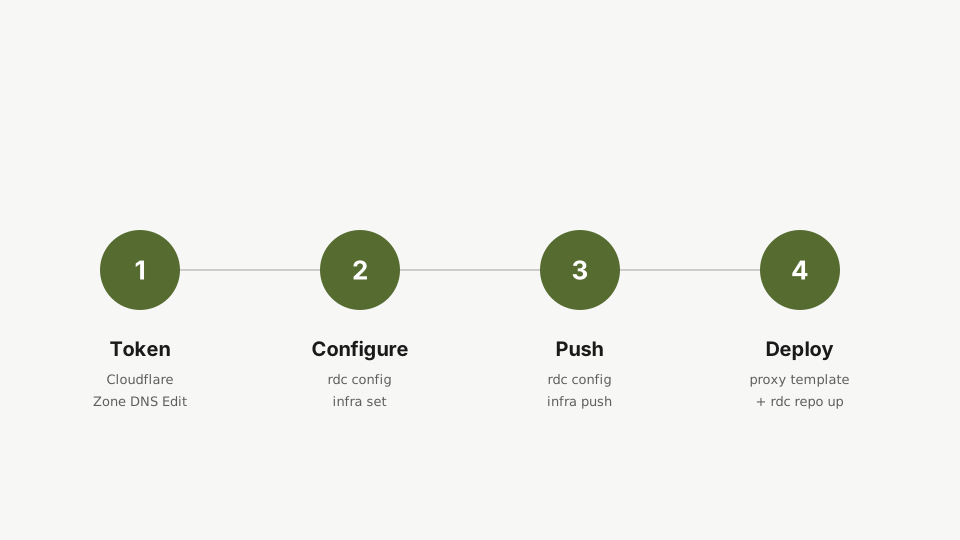
- Get your Cloudflare API token.
- Configure infrastructure on
rdc. - Push it to your server.
- Deploy the proxy.
Step 1: Cloudflare API token
In your Cloudflare dashboard, go to My Profile → API Tokens and create a token with Zone DNS Edit permission. Copy the token value. You’ll only see it once.
Step 2: Configure infrastructure
Tell rdc your public IP, base domain, certificate email, and the token. The --cert-email and --cf-dns-token are shared across all your machines, so you only set them once.
rdc machine infra set <machine-name> --public-ipv4 <server-ip> --base-domain <base-domain> --cert-email <cert-email> --cf-dns-token <cf-dns-token>Set the public IP, the base domain, the certificate email, and the Cloudflare API token from the command line. The cert email and the token are shared across all your machines, so you only set them once.
rdc machine infra show <machine-name>Confirm the infrastructure settings were stored. Public IP, base domain, and certificate email should all be visible.
Step 3: Push to the server
rdc machine infra push <machine-name>Push the configuration to the server. This creates the DNS records on Cloudflare automatically and prepares the proxy configuration.
This creates the DNS records on Cloudflare automatically and prepares the proxy configuration on your server.
Step 4: Deploy the proxy
The proxy itself doesn’t run yet. Deploy it from the built-in proxy template, inside a small repo named infra:
rdc repo create infra -m <machine-name> --size 1GCreate a small repo named infra. This is where the proxy will live, isolated from the application repos.
rdc repo admin template apply infra --template single-serviceApply the proxy template. It carries Traefik plus the configuration for Let's Encrypt and Cloudflare DNS-01 challenges, ready to go.
rdc repo up infraBring the proxy up. Traefik discovers your containers automatically, and TLS certificates come from Let's Encrypt automatically. Your app is now reachable on the internet over HTTPS.
That’s it. Traefik is now running. Your app is accessible at:
myapp.my-app.my-server.yourdomain.comTraefik discovers your containers every 5 seconds. TLS certificates come from Let’s Encrypt automatically. No manual proxy configuration needed.
Next: Production Mode.