
Storage Management
Never run out of disk again. Grow a full repository while its containers keep running, give deleted blocks back to the pool, then teach the machine to do both automatically.
One pool, growing repos
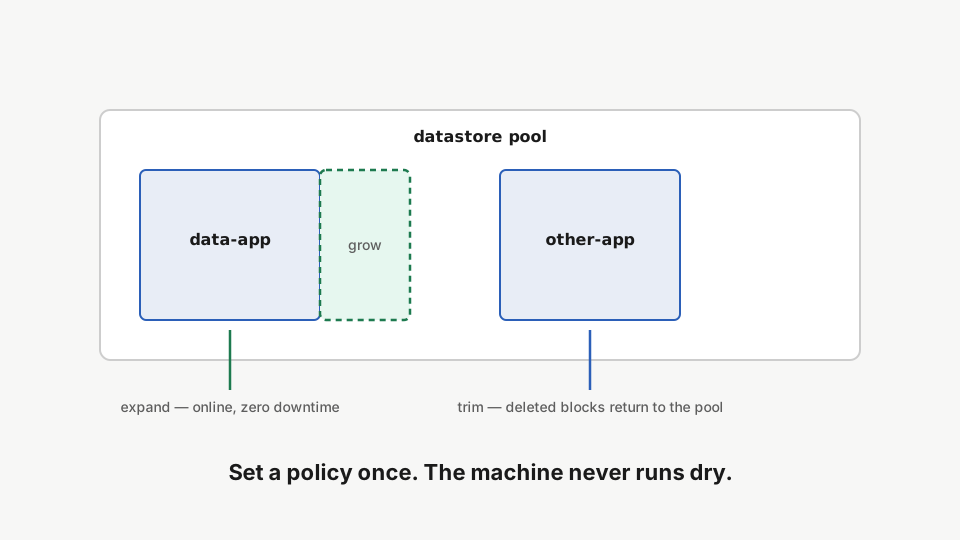
Every repository is a file in one shared datastore pool. Repos grow online; deleting data inside a repo frees nothing by itself. Trim is what hands blocks back to the pool.
Grow online, zero downtime
rdc term connect data-app@<machine-name> --command 'dd if=/dev/zero of=big.bin bs=1M count=1200 status=none && df -h .'Fill the repository with data until the filesystem runs tight.
rdc repo expand data-app --size 4GExpand the repository online: the LUKS container and filesystem grow with containers running.
rdc term connect data-app@<machine-name> --command 'df -h .'Check the filesystem from inside the repo. The new size is live.
Reclaim with trim
rdc term connect data-app@<machine-name> --command 'rm big.bin && df -h .'Delete the data inside the repository. Note the pool does not shrink yet.
rdc repo trim data-appRun repo trim to return the freed blocks to the shared pool, online, zero downtime.
Put it on autopilot
rdc repo policy set data-app --auto-grow true --max-quota 8G --grow-step 25% --auto-trim trueSet a size policy: auto-grow with an explicit ceiling, plus scheduled trim.
rdc repo policy get data-appRead the effective policy back. Growth and trim are now automatic.
The machine now grows the repo when it passes the threshold (up to your explicit ceiling) and trims on schedule, applied by the storage-maintain timer. No cron of your own.
The health view
rdc machine status <machine-name> --storage-healthCheck machine storage health: per-repo usage, pool state, and CoW reflink savings.
Per-repo usage, pool state, and how much copy-on-write sharing saves you, in one command.
You’re done
Eighteen tutorials: install, connect, deploy, edit anywhere, fork fearlessly, keep secrets safe, back up for real, go live, watch it, version it, move it, sync it, and never run dry. Your servers are yours again.