Delta Transfer
Push a repository to another machine twice. The first push carries everything. The second carries only what changed: same command, no flags, no bookkeeping. And you don’t have to take it on faith, because the push output prints exactly how much it moved.
Watch the tutorial
Blocks, not bytes
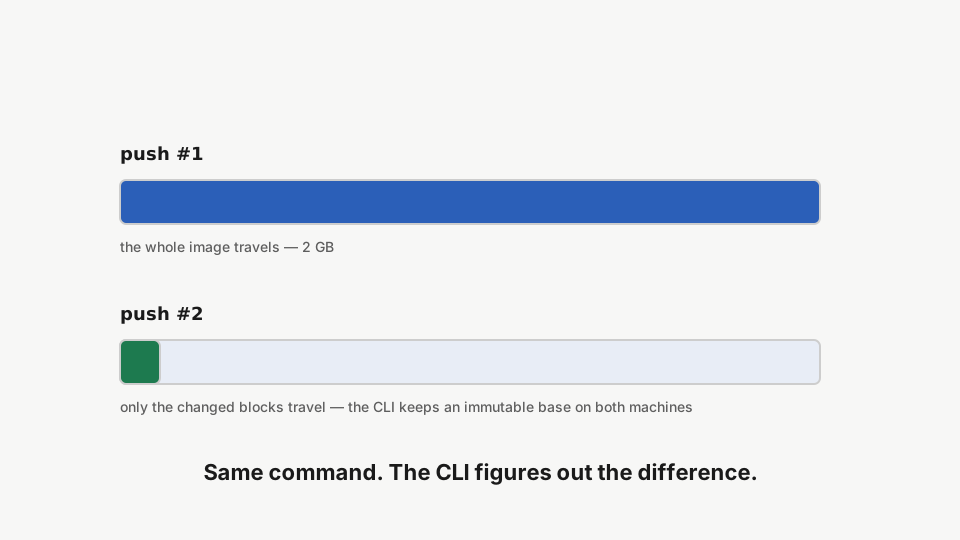
After the first push, the CLI keeps an identical immutable base image on both machines. The next push compares blocks against that base and sends only the difference.
Step 1: The baseline push
rdc repo push --name my-app --machine <machine-name> --to <target-machine>Push the repository to a second machine. The first push transfers the full image, and the output reports it: 2 GB transferred, marked (full). A delta base is retained on both sides.
The output spells it out: 2.0 GB transferred in 44.4s (full). The whole image travelled, and an identical delta base was retained on both sides.
Step 2: Change a little
rdc term connect --machine <machine-name> --repository my-app --command 'dd if=/dev/urandom of=delta-test.bin bs=1M count=50 status=none && ls -lh delta-test.bin'Write a small amount of new data into the repository.
Step 3: Push the difference
rdc repo push --name my-app --machine <machine-name> --to <target-machine>Push again with the same command: the output reports about 50 MB transferred as a delta against the shared base, out of a 2 GB image. Only the changed blocks travelled.
Same command, very different line: 50.8 MB transferred in 5.7s (delta vs base ..., image 2.0 GB). Fifty megabytes changed, so roughly fifty megabytes travelled, out of a two-gigabyte image.
Step 4: In sync, in seconds
rdc repo list --machine <target-machine>The target machine now holds the updated repository — synchronized at the cost of the delta.
Both machines hold the same repository, refreshed at the cost of the change, not the size. Hourly machine-to-machine backups stop being expensive.
Need explicit control?
--delta-base <guid>pins the comparison base, and--strategypicks the block-delta algorithm. The default figures both out for you.
Next: Storage Management.