Fork Isolation in Action
The forking tutorial showed the commands. This one shows what they mean: a live database app, copied in seconds, edited freely in the browser, while the original never notices.
Watch the tutorial
The setup
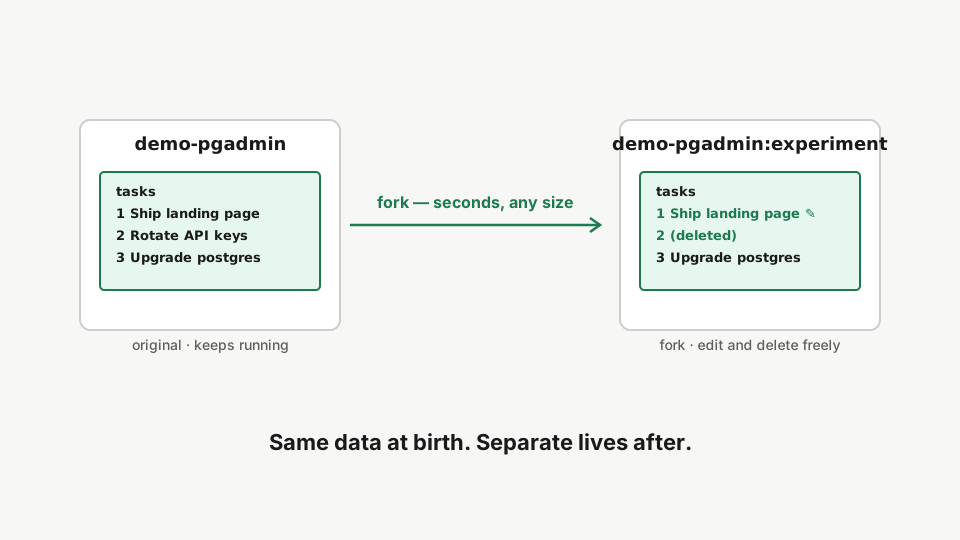
A real PostgreSQL with a pgAdmin interface, live on the server. A fork is an instant copy-on-write twin of all of it: same data at birth, completely separate lives after.
Step 1: The live app
rdc repo list --machine <machine-name>Start from a live repository: a PostgreSQL database with pgAdmin running on the machine.
Step 2: Fork it
rdc repo fork --parent demo-pgadmin --tag experiment --machine <machine-name> --up --detachFork the repository with --up --detach: the CoW clone is near-instant and the fork's services start immediately.
The video opens both pgAdmins in the browser. The original asks for a login, because production stays guarded. The fork opens straight into the workbench: forks are disposable sandboxes, so the gate steps aside (the repo decides this itself, based on whether it is a fork).
Step 3: Two worlds, one server
rdc repo list --machine <machine-name>List the repositories: the original and the fork run side by side, fully isolated.
Edit, delete, break anything in the fork. The original keeps serving. Same tables at the moment of forking, independent ever after.
Step 4: Throw it away
rdc repo delete --name demo-pgadmin:experiment --machine <machine-name>Delete the fork when you are done. The original repository is untouched.
Seconds to create, seconds to discard. That is what makes “clone production, break nothing” a daily habit instead of a special event.
Next: Managing Secrets.